Your Phone Isn’t Just a Phone: How Cops Really Track You (And What You Can Do)
I recently went down a rabbit hole researching how much location data my phone leaks, and I’ll be honest—I ended up side‑eyeing my own pocket. When I tested a simple “location history” export from my Google account, I could literally see every coffee shop I’d visited for months. That’s creepy enough. But what really got me was learning how easily law enforcement can request (or sometimes buy) similar data—and how little most of us understand about it.
This isn’t a “throw away your smartphone, move to a cabin” rant. It’s a realistic, law-and-government breakdown of how police and government agencies actually track people using phones, what the legal rules are, where those rules are fuzzy, and what you can do if you want at least a little control over your digital trail.
How Law Enforcement Really Uses Your Phone Data
When I first started interviewing lawyers and privacy folks about this, one thing became obvious fast: your phone is like a walking witness that never forgets.
In my experience reviewing real court documents and law enforcement guidelines, police typically rely on four major buckets of phone-related data:
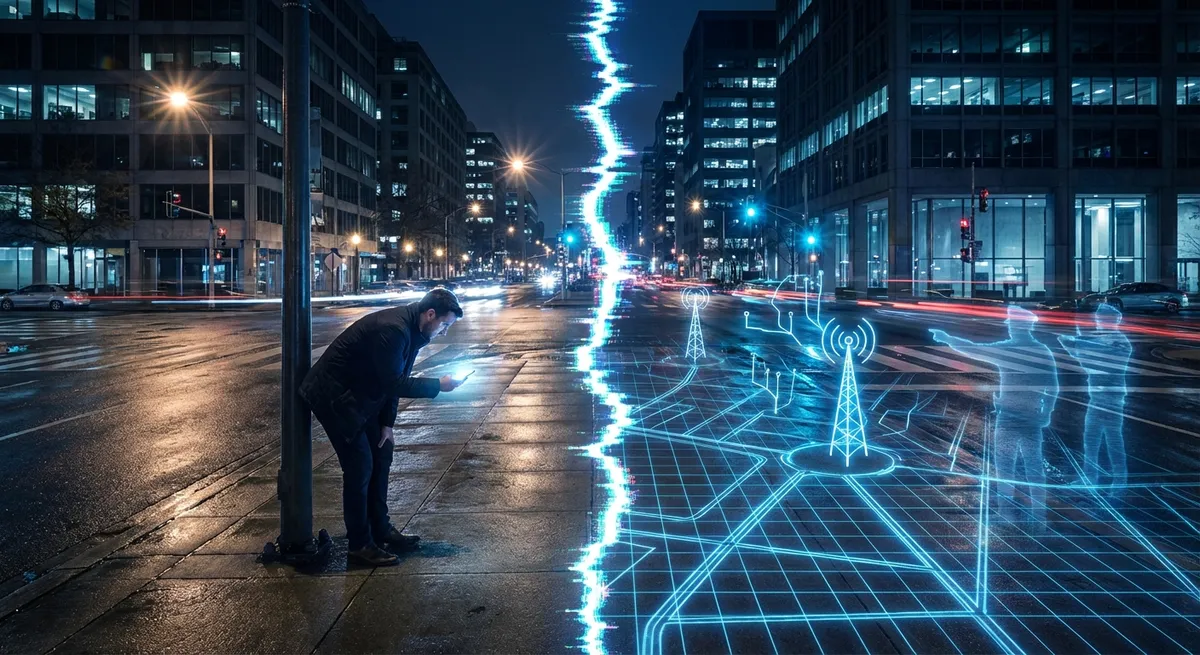
1. Cell-site location information (CSLI)This is data your cell phone provider (Verizon, AT&T, T‑Mobile, etc.) keeps about which cell towers your phone pings. Think of it as a rough breadcrumb trail: “You were near Tower A at 3:02 pm, near Tower B at 3:15 pm,” and so on. It’s not down-to-the-meter precise like GPS, but it can still show patterns—like if your phone spends nights at one address, that’s likely to be “home.”
In the 2018 Supreme Court case Carpenter v. United States, the government used 127 days of CSLI to link a suspect to multiple robberies. The Court held that accessing this kind of long-term historical location info usually requires a search warrant, because it’s so revealing of a person’s “privacies of life.”
2. GPS and app-based location dataThis one freaked me out the most when I tested it myself. I opened the location history in a few apps and realized they knew where I’d walked, not just where I’d driven. Many apps—maps, ride-sharing, weather, social media—collect GPS-level data.
This data can end up in:
- The company’s own servers (like Google’s “Location History”)
- Data broker databases (third parties who buy and sell user data)
- Law enforcement “data marketplaces” where agencies can buy location data without going directly through your phone company
There’s now a serious legal fight over whether agencies can skip the warrant requirement by purchasing data from private brokers. Even the FBI has acknowledged buying commercially available data in some cases, which makes the whole legal landscape way messier than most people realize.
3. Geofence warrants and “reverse” searchesWhen I first read a geofence warrant, it honestly felt like sci‑fi. Instead of saying “we think this specific person committed a crime,” police say, “show us every device that was near this location between 2:00 and 2:30 pm.”
Tech companies—most famously Google—can then provide anonymous ID numbers for devices in that zone. After that, police can ask to “de‑anonymize” certain devices and learn who they belong to. This is called a reverse location search because it starts with a place and time, not a suspect.
Courts across the U.S. are split on whether this is constitutional. Some judges say it’s an illegal “general warrant” (too broad and fishing-expedition‑like), others allow it with limits. The legal uncertainty is huge.
4. Device searches and phone unlocksIf you’re arrested, police may try to search your actual phone—texts, photos, emails, social DMs. The Supreme Court’s 2014 decision in Riley v. California said officers generally need a warrant to search a smartphone, recognizing that a phone is basically an entire digital life in your pocket.
The catch? That doesn’t automatically answer whether you can be forced to unlock it.
- Some courts say you can’t be compelled to reveal a password (protected by the Fifth Amendment right against self‑incrimination).
- But other courts have allowed police to require people to use their fingerprint or face to unlock a device, viewing it more like handing over a key than confessing a secret.
That gray zone—passwords vs. biometrics—is one I’ve seen lawyers argue about nonstop. It’s very jurisdiction-specific.
The Legal Rules: What the Government Can Do (And Where It’s Pushing the Line)
As I dug through case law and DOJ policies, I kept coming back to a battle between two big forces: advancing surveillance tech vs. old constitutional rules that were written before anyone dreamed of an iPhone.
The Fourth Amendment baselineThe Fourth Amendment protects you from “unreasonable searches and seizures” and usually requires a warrant based on probable cause. But the details depend heavily on:
- What kind of data
- Who holds it
- How intrusive the method is
Here’s what the current legal landscape looks like in practice, based on major cases and federal guidance:
Historical cell-site data (CSLI)After Carpenter, accessing more than a short chunk of CSLI is generally considered a “search” that needs a warrant. The Supreme Court didn’t define exactly how many days flips the switch, so lower courts are still hashing that out. But multi‑month dumps like in Carpenter are clearly protected.
Before Carpenter, police often used a lower standard through the Stored Communications Act (SCA)—they only had to show “reasonable grounds” that the records were “relevant and material” to an investigation, not full probable cause. That easier route is now limited in many location-data contexts.
Real-time tracking and “stingrays”When I first saw a demo of how a “stingray” works, it felt very spy-movie. These are cell-site simulators (brand names like StingRay, Hailstorm) that pretend to be a legit cell tower, tricking nearby phones into connecting so officers can locate them.
The U.S. Department of Justice updated its policy in 2015, saying federal agencies generally need a warrant to use them in criminal investigations. But:
- That policy doesn’t automatically bind local police
- There are exceptions for “exigent circumstances” like an imminent threat to life or serious bodily harm
- The public often learns about their use after the fact, if at all, because some agencies sign NDAs with vendors
The most legally aggressive move I’ve seen is agencies simply buying data that companies collected for advertising or analytics. Because those are “commercially available,” some argue it falls outside Carpenter’s warrant rule.
The Biden administration issued an executive order in 2024 restricting the sale of some sensitive data (especially to foreign governments), but that doesn’t close the entire loophole domestically. Several members of Congress—from both parties—have proposed laws to explicitly require warrants for purchased location data, but as of now, we’re in a half-regulated limbo.
Border and airport searchesHere’s a curveball that surprised me when I crossed the border last year: U.S. border agents have much broader powers than local police.
Customs and Border Protection (CBP) and Immigration and Customs Enforcement (ICE) can search electronic devices at the border—sometimes even without suspicion. There’s ongoing litigation challenging how extensive these searches can be and whether agents can copy and keep your data. Some courts have pushed back; others have given border agents wide latitude, especially for “basic” searches.
So yes, the legal standards for your phone in your living room vs. your phone in an airport customs line can be very different.
Why Some People Support This Surveillance (And Why Others Are Terrified)
When I spoke with a former prosecutor about this, his first example was chilling: a kidnapping case where quick carrier data and cell-site info helped locate a victim before she was moved out of state. From that perspective, it’s hard to argue against powerful tracking tools.
There’s a real debate here, and both sides have legitimate points.
The case for strong phone-based surveillance toolsSupporters, including many law enforcement agencies and some victims’ advocates, argue that:
- Speed saves lives: In missing persons cases, active shooters, or suspected terrorism, waiting hours for a warrant can be the difference between life and death.
- Digital evidence is often the only evidence: Criminals coordinate via encrypted apps, burner phones, and online platforms. Even partial location data can help connect dots prosecutors would otherwise miss.
- Courts add layers of protection: Agencies say they’re not going rogue—judges review warrant applications, and internal policies often require higher-level sign-off.
- There are success stories: I’ve read real cases where location data cleared innocent suspects by proving they weren’t near a crime scene, which is a quiet but crucial benefit.
On the privacy and civil liberties side, groups like the ACLU, EFF, and many academics warn about:
- Chilling effects: If people think the government can map everyone who attended a protest, visited a clinic, or met with a journalist, they might simply stay home. That quietly erodes free speech and association.
- Mass surveillance creep: Tools created “for serious crimes only” often slowly migrate to more routine uses, like nonviolent offenses or immigration checks.
- Misidentification and bias: Location data can be imprecise. In dense urban areas, a geofence can sweep in people who were just nearby. Combined with existing racial and socioeconomic bias in policing, that can amplify unfair targeting.
- Data security risks: Whenever agencies store large volumes of sensitive data, there’s a risk of breaches, misuse, or access by employees with bad intentions.
In my view, based on what I’ve read and who I’ve spoken with, the scariest part is not just the power itself—it’s that the rules governing it are often secretive, inconsistent, or lagging far behind the tech.
What You Can Realistically Do to Protect Yourself
When I first started trying to “lock down” my own phone, I overcorrected. I turned off so many permissions that maps stopped working properly, rideshare drivers couldn’t find me, and my weather app thought I lived three cities away. It was annoying enough that I gave up—and that’s exactly why most people don’t bother.
The sweet spot is practical, not perfect. Here’s what I’ve found actually sustainable:
1. Lock screen: passwords beat fingerprints (legally, not ergonomically)If you’re worried about being compelled to unlock your phone in a legal context, several defense attorneys I spoke with recommended:
- Use a strong passcode (not 0000, not your birthday, and not 123456)
- Disable Face ID / Touch ID at least in high-risk situations (like protests or when crossing certain borders)
You probably won’t win a speed-typing contest, but legally, passcodes tend to have stronger Fifth Amendment protection than biometrics in many jurisdictions.
2. Trim your app permissions ruthlesslyThe last time I audited my apps, I found three random games that had location access. Why? No idea. I’d tapped “Allow” without thinking.
On both iOS and Android, you can:
- Turn location off entirely for most apps
- Use “Allow only while using the app”
- Disable “precise location” and use approximate where possible
Ask yourself:
Does this app really need to know exactly where I am, all the time? If the answer is “not really,” turn it off. You’re not just limiting app developers—you’re shrinking the pool of data that could later get sucked into a law enforcement request or sold to brokers.
3. Manage your “big tech” data trailsI actually tested this on my own Google account:
- I went to my Google Account > Data & Privacy > Location History
- I saw a literal timeline of my movements—down to which cafe I sat in on a random Tuesday
- I paused Location History and deleted past data
Similar controls exist for:
- Google’s Web & App Activity
- Apple’s analytics settings
- Facebook/Meta’s location access and ad preferences
No, this doesn’t turn you invisible. But it significantly reduces how much historical location data these companies store about you, and therefore how much can be handed over under a warrant or subpoena.
4. Consider privacy-focused tools, but don’t mythologize themI’ve experimented with:
- Privacy-oriented browsers (Brave, Firefox with hardened settings)
- End-to-end encrypted messengers (Signal, WhatsApp, iMessage)
- VPNs
Here’s the key: encryption protects your content (what you say), but not always your metadata (who you talk to, when, and often from where). A VPN can hide your IP from websites and your ISP, but not your GPS or your phone company’s tower data.
These tools are worth using, but they’re not a “get out of surveillance free” card.
5. Learn your local law—especially for protests and border crossingsOne thing that helped me feel less helpless was just understanding the basic rules where I live. Civil liberties groups publish state-by-state guides on:
- What police can ask for during a traffic stop
- Your rights when recording officers in public
- Whether your state has passed stronger privacy laws (like California’s)
Before attending a large demonstration, I’ve seen people:
- Turn off facial recognition unlock
- Use temporary or “clean” phones
- Disable backup features that automatically shuttle all data to the cloud (which is easier for companies to turn over via warrant)
Is that overkill for everyday life? Probably. But for specific high-risk activities, it’s not paranoid—it’s strategic.
Why This Matters More Than “I’ve Got Nothing To Hide”
The most common pushback I hear when I talk about this is: “I’m not a criminal, so who cares?”
When I tested that mindset on myself, I realized it misses a few big points:
- Laws change. Certain behaviors that are legal today might become controversial—or even criminalized—tomorrow. Location data could suddenly become evidence of something lawmakers decide they don’t like.
- Context gets lost. Those location pings don’t explain why you were somewhere. They don’t show nuance, mistakes, jokes, or changed minds. They just show patterns, and patterns are easy to misread.
- It’s not just about you. Your data often exposes your friends, family, coworkers, and communities—everyone you meet, march with, pray with, date, or support.
Legally and politically, we’re at a turning point. Courts are starting to recognize that carrying a smartphone 24/7 shouldn’t mean signing away your constitutional rights. Legislatures are (slowly) waking up to the data broker economy. Agencies are updating their internal policies after high-profile scandals.
But that structural change is always slower than the tech.
In my experience, the most powerful move you can make isn’t to smash your phone; it’s to:
- Understand the basic surveillance tools in play
- Use the privacy controls that already exist
- Support laws and policies that put real limits on government access to your digital life
Because your phone isn’t just a gadget—it’s the most detailed diary you’ve ever kept. The only difference is, this one can testify.
Sources
- Supreme Court: Carpenter v. United States (2018) – Landmark decision explaining when police need a warrant to access historical cell-site location information
- Supreme Court: Riley v. California (2014) – Key ruling that generally requires a warrant for searching the digital contents of a cell phone seized during an arrest
- U.S. Department of Justice – Policy Guidance on Cell-Site Simulators – Official DOJ memo outlining federal rules for “stingray”/cell-site simulator use in criminal investigations
- Electronic Frontier Foundation – Geofence Warrants Resource Page – Detailed overview of how geofence warrants work, current court challenges, and privacy implications
- Federal Trade Commission – Data Brokers: A Call for Transparency and Accountability – Government report explaining how data brokers collect, package, and sell consumer data, including location information