
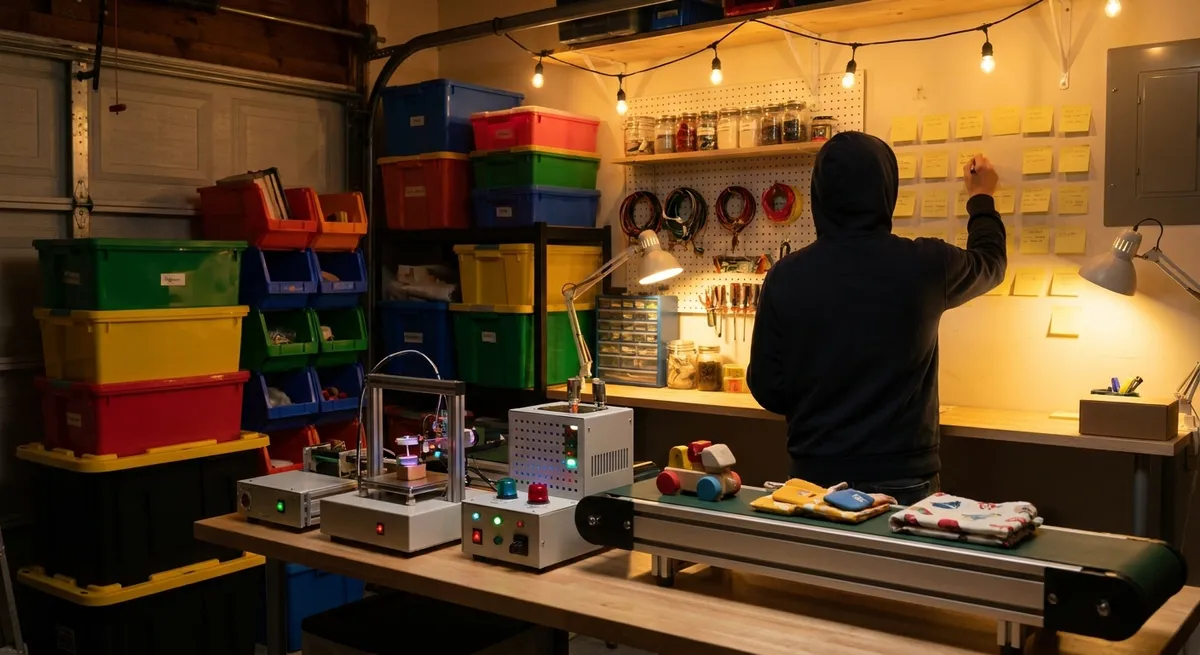
I Quietly Turned My Messy Side Hustle Into a “Mini Factory” — Without Hiring Anyone
I used to think “operations” was something only Fortune 500 execs talked about while pacing around corner offices. Then my tiny business nearly imploded because my Google Drive looked like a junk drawer and every deadline became a fire drill.
What finally saved me wasn’t a fancy hire or a huge software budget. It was treating my side hustle like a micro factory—mapping how work actually flowed, then quietly automating the boring parts. When I tested this for 90 days, revenue didn’t explode overnight… but my stress dropped like a rock, and my delivery times got faster without me working more hours.
This is exactly how I did it, what blew up in my face, and how you can steal the system without turning into a spreadsheet zombie.
The Moment I Realized My “Business” Was Just Organized Chaos
The wake‑up call hit on a Tuesday at 11:47 p.m.
I had three client projects, a half-finished proposal, and a pile of invoices I’d “deal with later.” A client emailed asking for “that version from last week” and I spent 23 minutes hunting through six different folders like a raccoon digging through trash.
I remember thinking: If I doubled my clients right now, everything would just break faster.
So I did something extremely unsexy: I printed out my last month of work and literally traced how everything moved from “idea” to “money in the bank.” Every step. No fluff.
Here’s what I mapped out on paper:
- How leads found me and what happened after they reached out
- How I gathered requirements and turned them into actual deliverables
- How I delivered work, got feedback, and revised
- How and when I invoiced and followed up
- Where I lost time (hint: it was always “just checking on something”)
When I did this, three ugly truths appeared:
- My bottlenecks were all human bottlenecks: me.
- I was re‑doing the same tasks over and over: rewriting the same emails, recreating the same folders, asking the same questions.
- Nothing was standardized. Each client got a bespoke experience… which sounds premium until you’re drowning in your own “creativity.”
Industrial engineers have a cleaner term for the mess I was creating: process variation. I’d accidentally built a system where every job ran differently. Great for chaos. Terrible for scale.
That’s when I decided to treat my tiny business like a miniature industrial operation: map the process, standardize the repeatable bits, then automate like a lazy genius.
How I “Stole” From Factory Playbooks and Applied It to a One‑Person Business
I fell down a rabbit hole reading about how actual factories run. Toyota Production System, lean manufacturing, Six Sigma—stuff I used to think belonged in dusty MBA textbooks. Turns out, a lot of it translates ridiculously well to a solo or small business.
Here’s how I adapted those ideas without drowning in jargon.
1. I Turned My Workflow Into a Visual “Production Line”
I started with a digital Kanban board—just columns labeled:
- Ideas / Leads
- Qualified / In Discussion
- In Production
- Review / Feedback
- Ready to Deliver
- Paid / Closed
Every project card moved left to right like a product moving through a factory.
When I tested this for a month, a pattern jumped out: my “Review / Feedback” column looked like a traffic jam. Work would just sit there, waiting for the client’s response, and I’d mentally hold the whole thing in my head.
The industrial word for this: work‑in‑progress (WIP). Too much WIP = slower system. So I capped it. I told myself:
> I don’t start a new project until at least one existing card hits “Paid / Closed.”
That one rule quietly increased my completion rate and made clients feel like I was more focused—because I actually was.
2. I Standardized “The Boring Stuff” Once, Then Stopped Thinking About It
Factories run on Standard Operating Procedures (SOPs). I always pictured 400‑page binders, but my version started as a messy Google Doc titled:
> “How I Don’t Ruin My Own Business”
Inside, I wrote step‑by‑step mini‑checklists for:
- Onboarding a new client
- Kicking off a project
- Delivering drafts and revisions
- Final delivery and offboarding
- Invoicing and payment reminders
Each checklist lived in my project management tool, so every new project came with a pre‑built “recipe.”
The change felt tiny. The result felt massive.
For example: my onboarding SOP had:
- A template email with a Calendly link
- A link to a standardized intake form (so I didn’t forget key questions)
- Automatic creation of a client folder with the right subfolders
- A task to schedule a 10‑minute check‑in mid‑project
That last point was gold. When I built the mid‑project check‑in as a standard step, revision cycles got shorter because misalignment was caught early—something large manufacturing lines do with in‑process quality checks instead of waiting until the end.
3. I Used Automation Like Cheap, Silent Staff
I didn’t hire. I just let software do the grunt work.
Here’s what I automated first (and still recommend starting with):
- Intake → CRM: When someone filled out my website form, their info automatically went into my CRM, tagged as a “New Lead,” and created a card on my Kanban board.
- Proposal → E‑signature → Invoice: Once I marked a lead as “Won,” it triggered:
- A proposal template
- E‑signature link
- Draft invoice ready to send when the contract was signed
- Project creation: Contract signed? A new project with all the right tasks, due dates, and folders spun up automatically.
This is basically the small‑business version of computer‑integrated manufacturing—connecting different stages so they talk to each other without a human babysitter.
I used off‑the‑shelf tools (Zapier, Make, or native integrations—nothing custom coded). The monthly bill was less than what I’d pay a part‑time assistant for a single afternoon… and the automation never forgot to send an invoice.
What Actually Improved (And What Didn’t) When I “Industrialized” My Workflow
Let me be brutally honest: turning your business into a mini factory doesn’t magically make you rich. But it does change how you earn, and how you feel doing it.
The Wins I Didn’t Expect
1. Shorter turnaround times without working moreBy killing random context‑switching and setting WIP limits, I could give clients more realistic deadlines—and often beat them. My average project cycle time dropped by roughly 25–30% after two months. Same hours. Less chaos.
2. Fewer “Wait, did I…?” brain spiralsBecause tasks lived in checklists and automations, I wasn’t constantly wondering if I’d sent the contract or followed up on an invoice. The mental load reduction was real. It felt like closing a hundred background tabs in my head.
3. Higher perceived professionalism (and higher fees)Clients started saying things like, “Your process feels really dialed in” and “This was so much smoother than our last vendor.” That gave me the confidence to gently raise prices—because the experience legitimately improved.
The Tradeoffs No One Brags About on LinkedIn
1. It’s annoying at firstWhen I first documented my processes, everything took longer. Writing down steps, updating checklists, tweaking automations after they broke—none of that felt productive in the moment. It was like cleaning a closet; you make a bigger mess before it looks better.
2. Over‑automation can make you sound like a robotI went too far with canned emails at one point. A client literally replied, “Did a bot write this?” Not the vibe I was going for. I had to pull back and keep templates for structure, but always add a line or two that proved a living human saw their situation.
3. Systems don’t fix bad offersWhen I tried to apply all this to an offer that nobody really wanted, no amount of industrial‑grade efficiency helped. The process just helped me find out faster that it wasn’t viable. Which is still a win—but not the one most people imagine.
How You Can Turn Your Own Business Into a Lean “Mini Factory” in 7 Days
If I were starting over from scratch, here’s exactly how I’d rebuild the system in one week—without needing an operations degree.
Day 1–2: Trace the Real, Messy Flow of Work
Pick your last 3–5 paid projects and answer, in painful detail:
- How did this client find you?
- What was the exact sequence from “first contact” to “money received”?
- Where did things slow down, stall, or go sideways?
- What did you do manually that you could copy‑paste instead?
This is your current state map—the business equivalent of a factory floor walkthrough. No judgment, just data.
Day 3: Design Your Simple “Production Line”
Create a barebones pipeline that fits your business. It might look like:
- Lead
- Qualified
- Booked
- In Progress
- Review
- Complete
- Paid
Use any tool you’ll actually open daily: Trello, Notion, ClickUp, Asana, whatever. The tool doesn’t matter. The visibility does.
Add a rough WIP limit: maybe “No more than 3 active client projects at once” to start. You can tweak later.
Day 4–5: Write 3–5 Mini Playbooks
Start tiny. Don’t write a company manual; write the stuff you keep forgetting.
In my experience, the highest‑leverage playbooks were:
- How I handle a brand‑new inquiry
- How I kick off a signed project
- How I request feedback and edits
- How I send final files and ask for testimonials
- How I invoice and follow up (with a schedule that feels firm but not pushy)
Keep them in a single shared doc at first. Later, you can embed them into your project tool.
Day 6: Automate Just One Painful Handoff
Ask: “Where does work die right now?”
For me it was: people signing but not getting properly onboarded. For you, it might be: leads filling out forms and disappearing into email limbo.
Automate one of these:
- New form submission → create lead card + send intro email
- Signed contract → create project + send kickoff questionnaire
- Invoice due date → automatic gentle reminder
Test the automation slowly. Try it on yourself first. I broke two zaps and almost sent an onboarding email to the wrong person—definitely not the kind of “scale” you want.
Day 7: Run a Tiny “Pilot” Like a Factory Would
Manufacturing doesn’t change everything at once; they run pilot lines. Do the same.
- Run your next 1–2 projects entirely through the new pipeline
- Follow your checklists, even if you’re tempted to skip steps
- Note where the system feels clunky or missing something
At the end, ask yourself and your client:
- What felt smoother than before?
- Where did things stall?
- What step added no real value and could be simplified?
Tweak, repeat, refine. This is what lean practitioners call continuous improvement (kaizen)—small, ongoing changes instead of one giant reorg.
Why This “Mini Factory” Mindset Matters More Than the Tools You Choose
Once I started thinking like a tiny industrial operation, my decisions shifted:
- I stopped asking, “How do I work harder?”
- I started asking, “Where is the constraint, and how can I redesign around it?”
Sometimes the constraint was me not wanting to send awkward payment reminders—so I automated 90% of that. Sometimes the constraint was unclear client expectations—so I improved my intake form and mid‑project syncs.
No single app or framework did the heavy lifting. The real power move was admitting that my business was a system, whether I designed it or not. If you don’t design it, it still exists… it’s just running you instead of the other way around.
If you’re a freelancer, creator, agency owner, or small manufacturer quietly wondering why “more clients” just feels like “more pressure,” this is your sign: stop chasing volume for a week and fix the factory floor first.
When I finally did that, I didn’t become a billionaire. But I did stop working with that 11:47 p.m. panic in my chest—and honestly, that kind of ROI doesn’t show up on a dashboard, but it might be the most valuable metric you’ve got.
Sources
- U.S. Small Business Administration – Guide to Managing a Business – Practical fundamentals on organizing and managing small business operations
- MIT Sloan Management Review – The Essence of Lean – Explains key lean manufacturing principles that inspired the workflow approach in this article
- Toyota – The Toyota Production System – Official overview of TPS concepts like just‑in‑time and jidoka that inform modern process design
- Harvard Business Review – The New Rules of Lean – Discusses how lean principles have been adapted beyond traditional factories into knowledge work and services
- U.S. Census Bureau – Annual Business Survey – Data on U.S. business performance and characteristics, useful context for small and midsize enterprises